
Username: natas20
Password: EuGIeuGIlnEuG3VneuGIlIeuGAF
URL:http://natas20.natas.labs.overthewire.org/
View source:
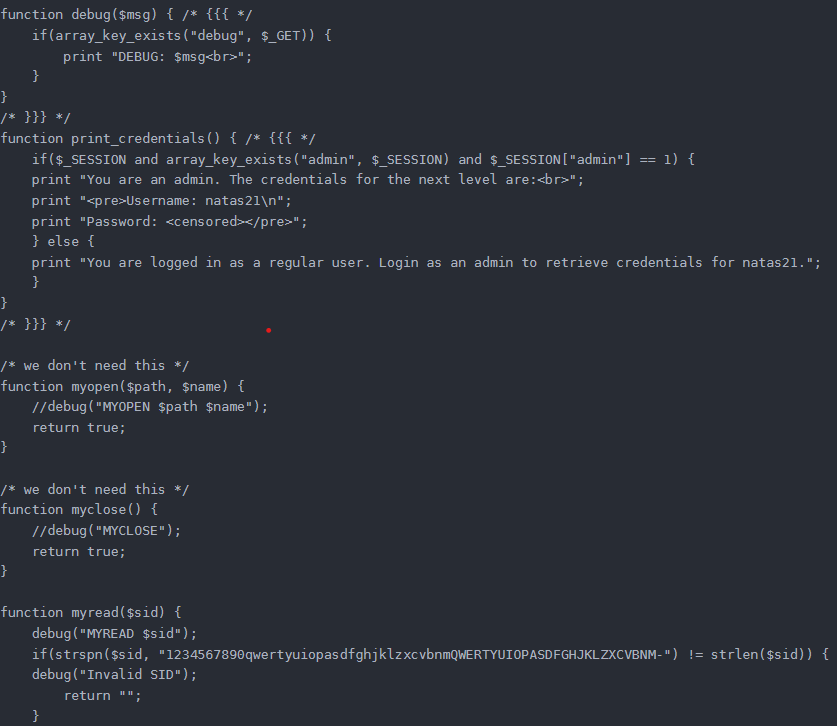
The debug($msg) function opens the debug message, which can be accessed by adding /index.php?debug to the end of the URL to see the debug message $msg.
After visiting, see a number of messages:
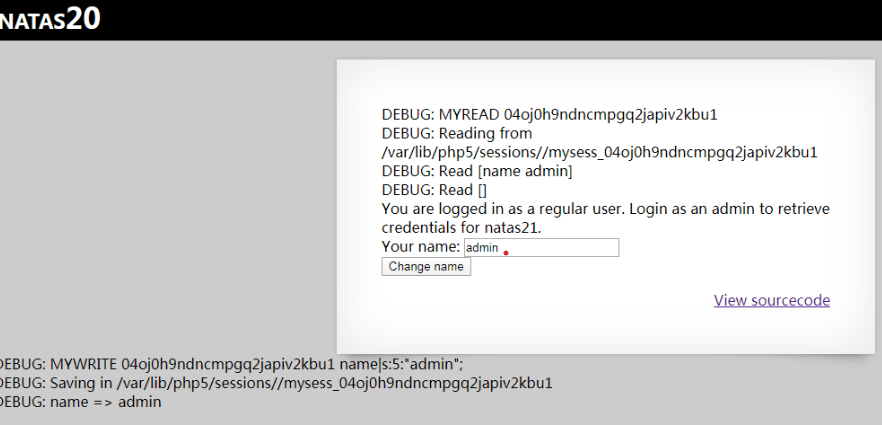
In short, myread first checks the sid (first time automatically generated by the server and saved in a cookie), if it is not alphanumeric, it will not return the session status.
If the sid is legal, it will go to the relevant directory to find/read the file, if the old session/file has been deleted, it will create a new file to save the session, and overwrite the last pair of keys of the session to the first one after the file has been read.
mywrite then re-reads the session at the end of the session and does a ksort of the session and re-writes the sorted key-value pairs to the file.
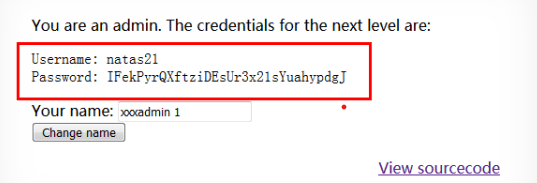
The main function of the print_credentials() function is to display the password after determining that $_SESSION[“admin”] == 1.
Since the source code does not add the admin key-value pair to the SESSION, by default, the only key in _SESSION is name, whose value is set by the form submission in /index.php.
We can inject the name key-value pair by changing the value in data to: name xxx\nadmin 1\n. So you should enter xxx\nadmin 1, URL-encode it and submit it.
The URL encoding for the newline character is %0A, so you should enter xxx%0Aadmin 1 to submit.
Of course you can’t just type xxx%0Aadmin 1 directly into the page to submit it, as it will be encoded as xxx%250Aadmin+1, defeating the purpose of what we intended.
The correct way is to use burp to capture the packet, change the name parameter value to xxx%0Aadmin 1, the first time will show regular, because there is no file/status to read, there is still no Admin in the session, the session is closed xxx\nadmin 1 will be written to the state, the next time you log in the session will be added to the admin 1 will be added to the session after the next login.
 今朝有酒今朝醉